
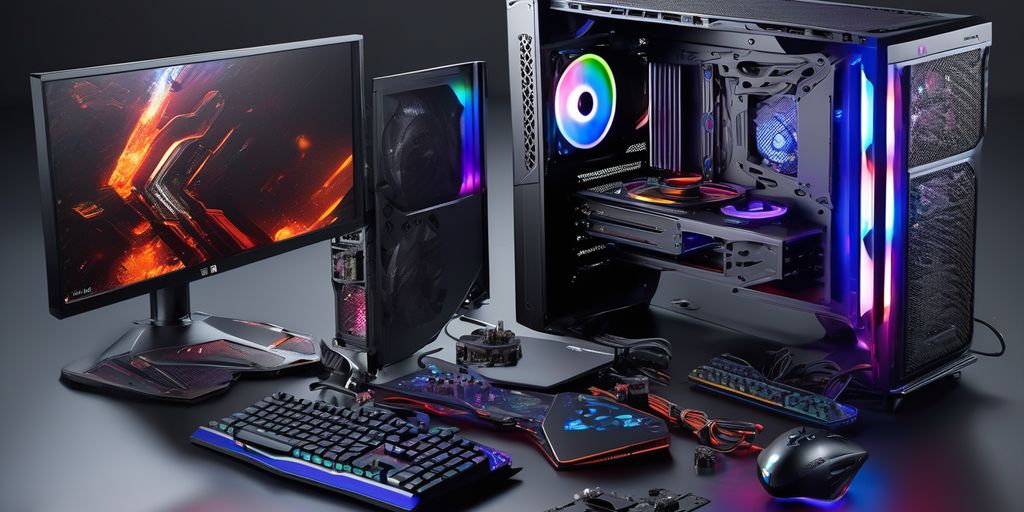
How to Choose Your Gaming PC?
Choosing a gaming PC can seem complicated, especially with all the available options. Whether you're a beginner or an experienced player, it's important to understand your needs before making a purchase. In this article, we'll explore the different elements to consider to find the perfect gaming PC for you.
Key Points
- Define your gaming and performance needs.
- Choose between a desktop or laptop PC based on your lifestyle.
- Pay attention to essential components like the CPU, GPU, and RAM.
- Don't underestimate the importance of a good cooling system.
- Set a clear budget and compare offers to make the best choice.
Desktop or Laptop Gaming PC: Which to Choose?
Between a desktop gaming PC and a gaming laptop, several factors can help you make a choice.
Essential Components of a Gaming PC
To build a high-performance gaming PC, it's crucial to carefully choose each component. Each element plays a key role in the overall performance of your machine. Here are the essential components to consider:
The Importance of Cooling

To maintain your gaming PC at an optimal temperature, there are several cooling solutions available. The most common are air cooling and liquid cooling. Air cooling uses fans to dissipate heat, while liquid cooling uses a fluid to transfer heat away from critical components.
A good cooling system is essential to prevent overheating and preserve your PC's performance. It's important to choose a system that is both efficient and quiet. The fans must be powerful enough to maintain a reasonable temperature, even during long gaming sessions.
Good cooling can extend the lifespan of your components and prevent costly malfunctions.
Cooling directly impacts your PC's performance. The hotter the components get, the more likely they are to slow down or get damaged. An efficient cooling system helps maintain optimal performance, even under intense workload. Make sure your case has enough fan slots or opt for a liquid cooling system for maximum efficiency.
Storage: SSD vs. HDD
SSD Advantages
SSDs are significantly faster than traditional hard drives. They greatly improve loading times, which is crucial for video games. In addition, SSDs allow for smoother software and operating system execution. Here are some key advantages of SSDs:
- Shorter loading times
- Improved system responsiveness
- Less noise and heat
When to Choose an HDD
Hard disk drives (HDDs) are more appealing for those who need a large storage capacity at a lower cost. They are ideal for storing large amounts of data such as videos, photos, and large files. However, they perform less well in terms of speed compared to SSDs.
Hybrid Solutions
To benefit from the advantages of both types of storage, many gaming setups combine an SSD and a traditional hard drive. This combination allows for a fast system while providing large storage capacity. For example, the SSD can be used for the operating system and games, while the HDD can be used to store less frequently used files.
The classic SSD + HDD combo is an obvious choice to combine execution speed and large storage capacity.
Choosing a Gaming Monitor
Resolution and Refresh Rate
To fully enjoy your gaming setup, choosing the right monitor is crucial. Resolution and refresh rate are two essential elements. A Full HD (1080p) screen is sufficient for most gamers, but if you want a more immersive experience, opt for a QHD (1440p) or even 4K screen. The refresh rate, measured in Hertz (Hz), determines the smoothness of the image. A screen with a 60 Hz rate is standard, but for an optimal gaming experience, prefer a screen with 120 Hz or more.
Response Time
Response time is another important criterion for a gaming PC monitor. This is the time it takes for a pixel to change color, measured in milliseconds (ms). A low response time, ideally less than 5 ms, reduces motion blur and improves responsiveness, which is crucial for fast-paced games like FPS.
Display Technologies
Several display technologies exist for gaming monitors, each with its advantages. TN (Twisted Nematic) panels offer very fast response times and are often cheaper, but their viewing angles and color reproduction are not as good. IPS (In-Plane Switching) panels offer better viewing angles and image quality, but are generally more expensive and have slightly higher response times. VA (Vertical Alignment) panels offer a good compromise between the two, with good contrast and decent response times.
For an optimal gaming experience, it is recommended to choose a screen with display technology suited to your specific needs.
In summary, choosing the right gaming monitor is essential to get the most out of your gaming setup. Take into account resolution, refresh rate, response time, and display technology to make the best possible choice.
Essential Peripherals
A mechanical keyboard is often preferred by gamers for its responsiveness and durability. There are different types of switches that offer various sensations, such as linear, tactile, or clicky switches. Choose the one that best suits your gaming style.
The mouse is another crucial element. A good gaming mouse should have a precise sensor, ergonomics adapted to your hand, and programmable buttons. These features improve your precision and comfort during long gaming sessions.
For total immersion, a quality gaming headset is essential. It should offer good surround sound, a clear microphone, and be comfortable to wear for hours. Some models even come with additional features such as active noise cancellation or integrated controls.
Investing in quality peripherals can greatly improve your gaming experience and give you a competitive edge.
The Scalability of Your Gaming PC
Ease of Upgrading
For a gaming PC to last several years, it must be able to adapt to new game requirements. A desktop PC offers more flexibility to change components like the graphics card, processor, or RAM. In contrast, a laptop is often limited to RAM and storage upgrades.
Component Compatibility
Component compatibility is crucial for scalability. Make sure your gaming PC motherboard has several free slots (2.5 inches, SATA / PCI-Express connectors) to accommodate future components like a sound card or a video capture card.
Planning for the Future
Think ahead by choosing scalable components. For example, opt for a case with enough space to add new elements. This will allow you to integrate a more powerful graphics card or increase storage capacity without being limited.
A well-designed gaming PC can save you from spending a large sum of money again in a few years.
Budget: How to Invest Wisely

Set Your Priorities
Before you buy a gaming PC, it's crucial to define your priorities. Do you want a PC capable of running the latest games at ultra quality, or a more modest model for less demanding games? This reflection will help you better target your budget.
Compare Offers
Don't hesitate to regularly check offers from specialized sites. This will allow you to benefit from a price reduction or get better equipment for your initially planned budget. For example, with a budget of €1000, you can assemble a gaming PC powerful enough to play all current titles. Discover the list of components!
Avoid Pitfalls
It's easy to be tempted by attractive offers, but beware of pitfalls. Always check component compatibility and read user reviews. A good investment is a thoughtful and informed purchase.
A good plan is to allow a margin in your budget for contingencies or future updates.
Cloud Gaming: An Alternative?
Advantages and Disadvantages
Cloud Gaming allows you to play by streaming on various devices such as consoles, computers, smartphones, and TVs. One of the main advantages is that you don't need a powerful gaming PC. A stable internet connection and a screen are sufficient. The mobility offered by Cloud Gaming changes the way we play, allowing you to start a game on a smartphone and continue it on a PC or TV.
Comparison with a Traditional PC
Unlike a traditional gaming PC, Cloud Gaming does not require a significant initial investment in expensive hardware. However, the quality of the gaming experience largely depends on the internet connection. Graphics and fluidity can be excellent, but they are dependent on network stability.
Who Is It Suitable For?
Cloud Gaming is ideal for casual gamers or those who don't want to invest in expensive equipment. It is also suitable for those who want to play on multiple devices without worrying about technical specifications. However, for professional gamers or those seeking maximum performance, a traditional gaming PC remains the best option.
Cloud Gaming offers unmatched flexibility but requires a reliable internet connection for an optimal experience.

Optimize the Performance of your Gaming PC
Overclocking
Overclocking is a popular method to increase the performance of your gaming PC. By increasing the frequency of your gaming processor or graphics card, you can achieve significant gains in FPS. However, it's crucial to monitor temperatures to avoid overheating.
Maintenance and Cleaning
Regular PC maintenance is essential. Dust can accumulate and affect cooling, leading to performance drops. Clean the fans and filters, and ensure your cooling system is working correctly.
A clean PC is a high-performance PC. Don't overlook this simple but effective step.
Software Updates
Software updates are often overlooked, but they can bring significant improvements. Make sure your operating system, graphics card drivers, and other software are up to date. This can fix bugs and optimize your machine's performance.
For gaming enthusiasts, following these steps can make a big difference. Step-by-step methods will be revealed to improve PC performance for gaming and increase FPS for dedicated players.
Conclusion
Choosing a gaming PC can seem complicated, but with the right information, it's entirely feasible. It's essential to understand your needs well and know the key components like the processor, graphics card, and RAM. Don't forget to consider your budget and think about the scalability of your machine. Whether you opt for a desktop or a laptop, the important thing is to find the one that best suits your gaming style. With a little research and planning, you'll be ready to dive into the world of gaming with the ideal PC.
Frequently Asked Questions
What is the difference between a desktop gaming PC and a laptop gaming PC?
A desktop gaming PC generally offers more power and upgrade possibilities, while a laptop gaming PC is more practical for portability and smaller spaces.
Which component is most important for a gaming PC?
The graphics card (GPU) is often considered the most crucial component for a gaming PC, as it directly impacts in-game performance.
Why is cooling so important for a gaming PC?
A good cooling system helps keep components at an optimal temperature, improving performance and extending PC life.
Should I choose an SSD or HDD for storage?
An SSD is faster and improves game loading times, while an HDD offers more storage space at a lower cost. A hybrid solution can combine the advantages of both.
What screen resolution is recommended for gaming?
For an optimal gaming experience, 1080p resolution is often sufficient, but demanding players can opt for 1440p or even 4K.
What peripherals are essential for a gaming PC?
A gaming keyboard, gaming mouse, and gaming headset are essential for a complete and immersive gaming experience.
Is it possible to upgrade your gaming PC?
Yes, a desktop gaming PC usually offers many upgrade possibilities, allowing you to improve performance over time.
Is cloud gaming a good alternative to a gaming PC?
Cloud gaming can be an interesting option for those who don't want to invest in expensive hardware, but it heavily relies on the quality of the internet connection.
If you're ready to invest in a quality gaming PC, visit our online store. We offer a varied range of gaming PC components and accessories to meet all your needs.
Don't let your gaming experience be limited by outdated hardware. Choose performance and gaming immersion. Click on the image below now and discover our selection of quality products for demanding gamers:
